
Accounts connected via QR Code need to renew their connection from time to time, since they operate similarly to WhatsApp Web. However, if you simply reconnect by scanning the QR code from scratch, your Instance ID will change. This can break your automations and even cause you to lose important data.
The correct way to renew your connection without changing your Instance ID is by doing a re-login. Just follow the steps below.
How do you know if your account needs to re-login? #
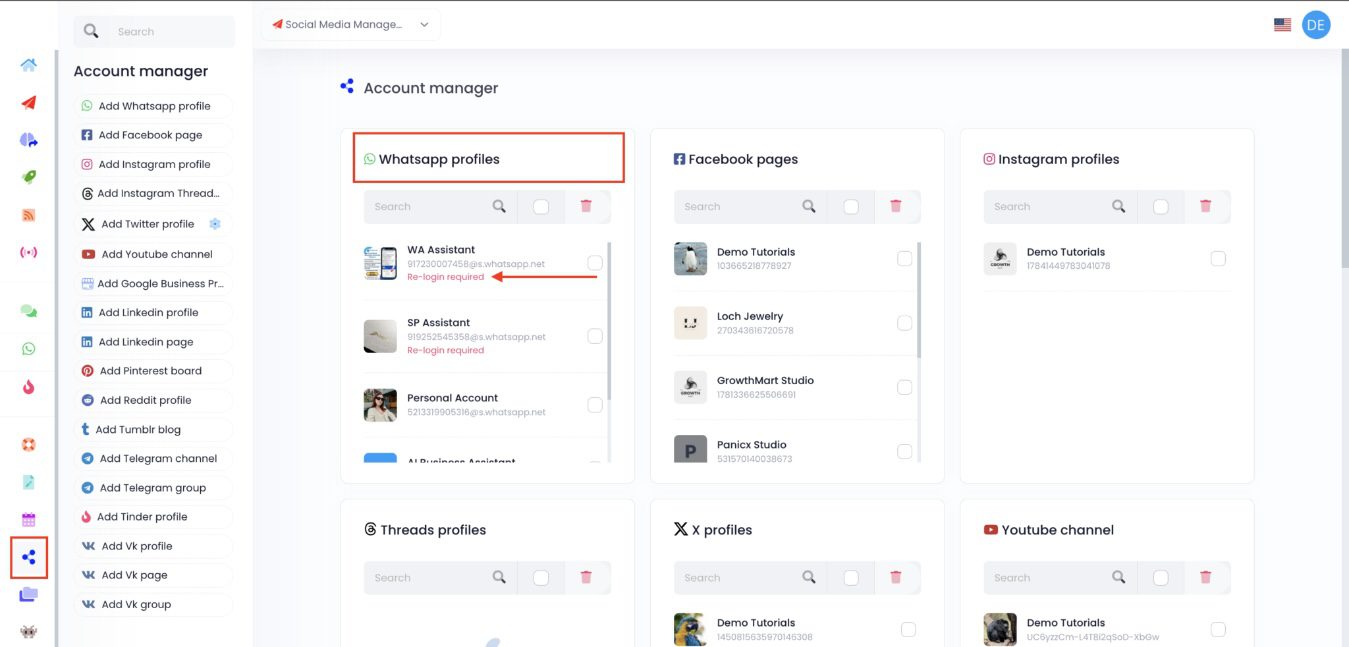
Go to the account manager on the left sidebar and look for the Account Manager. Scroll to the WhatsApp section. If your account needs a re-login, you’ll see a tag that says “Re-login required”.
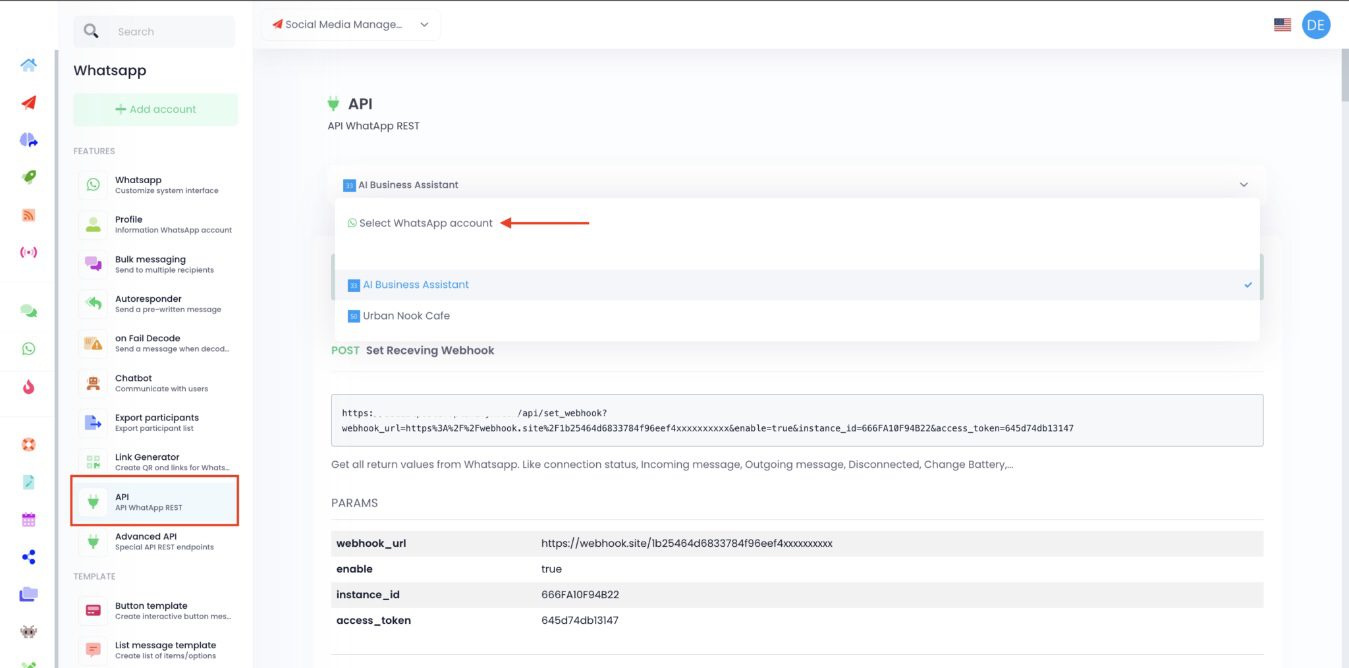
You might also need a re-login if your account is not showing on the API Rest section.
Or if you see a warning when trying to save something in your chatbot.

How to Re-login the Right Way #
Go to the Account manager. Click on the Re-login required tag.
You will see your account under the QR Code. Click on the Relogin button next to it.
Scan! Simply open your WhatsApp account on your phone. Go to Add Device and scan the QR code on the app’s screen.

That’s it! Your connection will be refreshed, and you can continue using the app without losing any data or automations.